 Instruction Manual Maker
Assembly manuals, straight from the model.
Export your assembly from SolidWorks, drop it into Instruction Manual Maker, and lay out every step with exploded views, numbered balloons and a bill of materials that stays in sync. Then export the PDF.
Windows desktop app · SolidWorks 2020 or later · nothing charged for 30 days
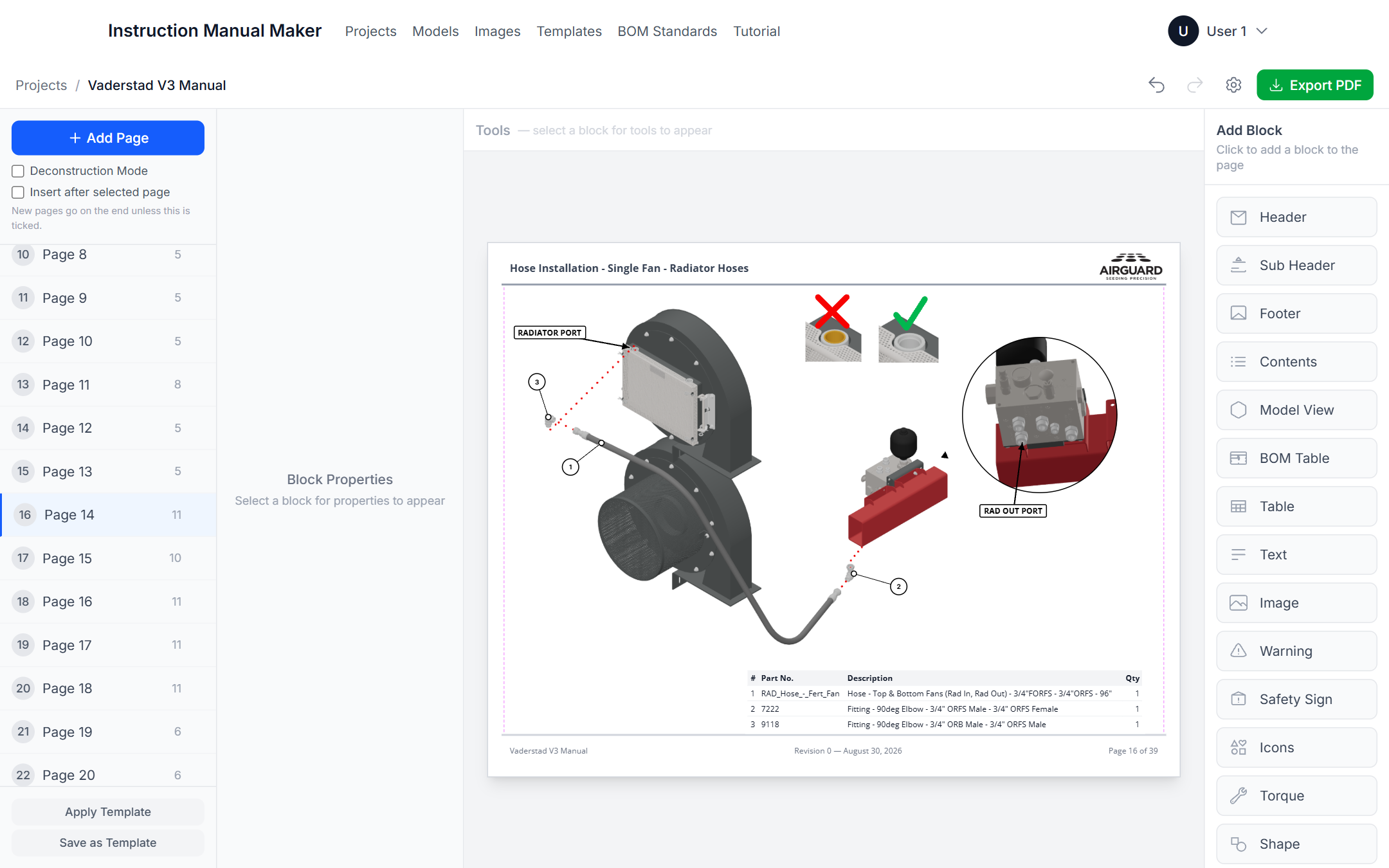
Four steps from assembly to manual
The add-in does the exporting, the app does the layout. Nothing is redrawn by hand.
Install the add-in
The desktop app carries the SolidWorks add-in installer. One click on the Models page installs it.
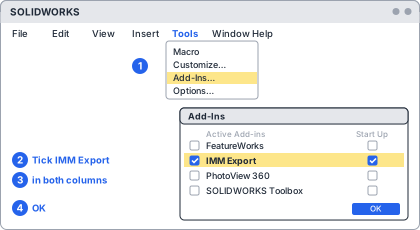
Export from SolidWorks
Tools › IMM Export › Export .imm writes one file with the geometry, part properties, configurations, exploded views and appearances.
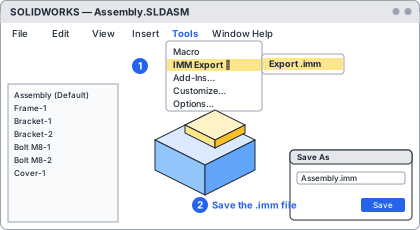
Import the model
Drop the .imm into the model library. Re-export after a design change and the model updates in place; your views stay put.
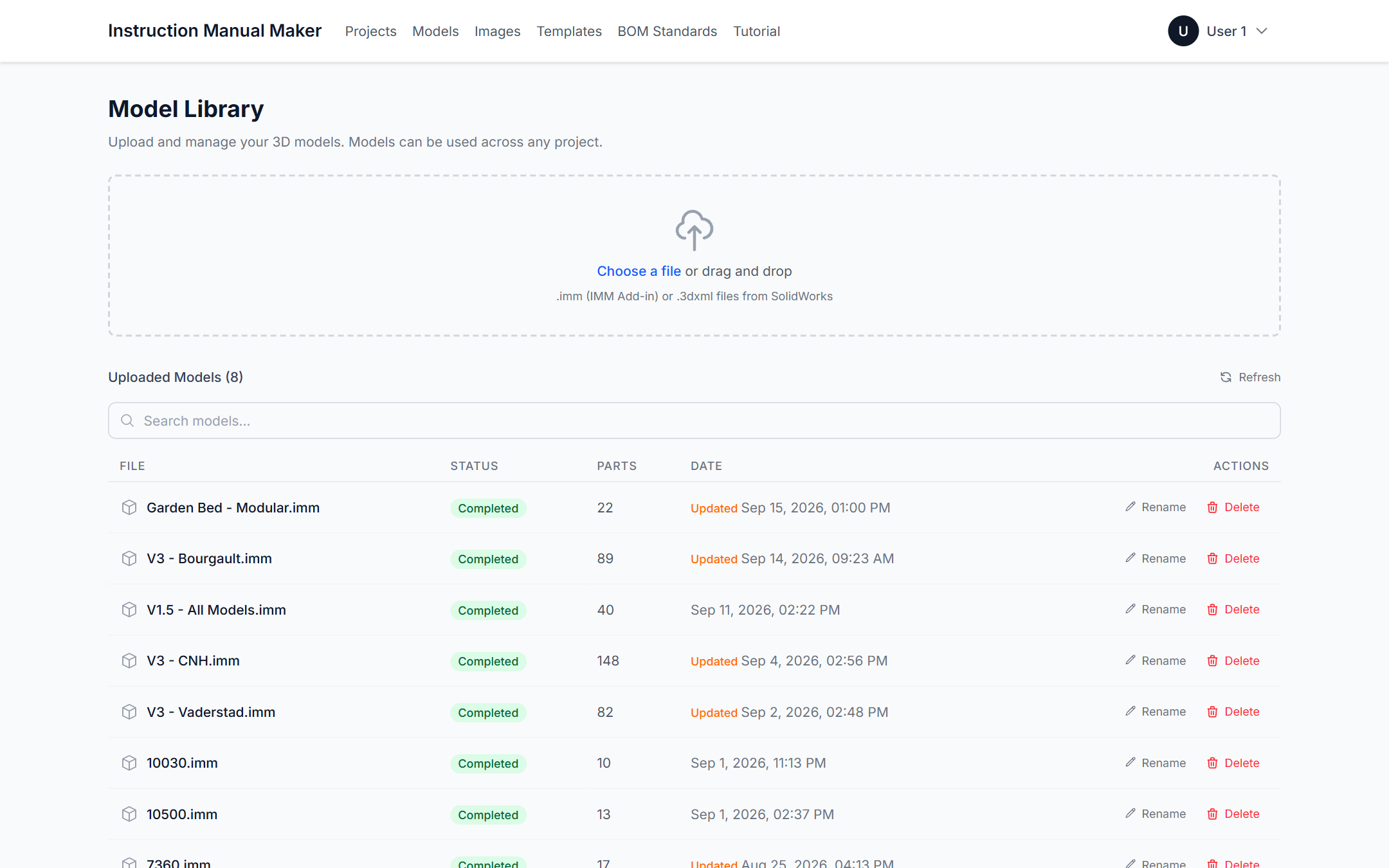
Build the pages
Place model views, BOM tables, text, images and safety blocks on pages made from your templates. Export the PDF.
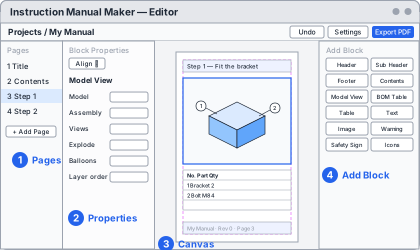
The model view is the manual
Every picture in the manual is a live view of the model. Turn it, explode it, balloon it, and capture.
Views that come from the CAD, not from screenshots
Orbit the assembly with SolidWorks' own mouse controls, apply its exploded views and configurations, hide parts, and add balloons, text callouts, detail circles, section cuts and explode lines.
- Standard and isometric views, perspective or orthographic
- Balloons numbered to match the BOM
- Detail views that magnify a region on the page
- Section view with a movable cut plane
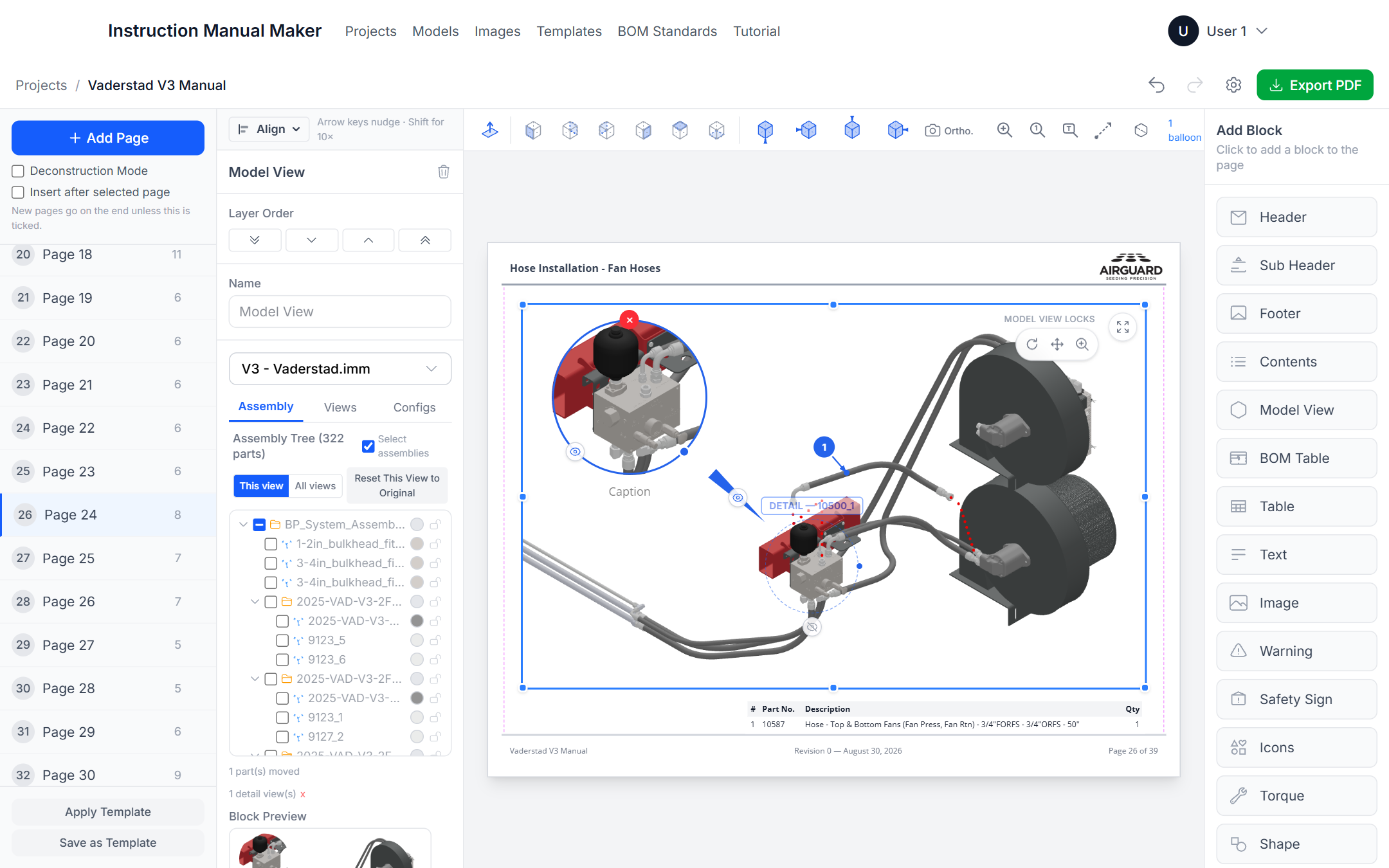
A bill of materials that follows the balloons
Link a BOM table to a model view and it lists what the view shows, numbered to match. Drag a row to renumber and the balloons renumber with it. Descriptions written once are reused in every manual.
- Part number, description, material, weight, quantity and custom properties
- Only ballooned parts, or the whole assembly
- Company-wide BOM standards, shared through the data folder
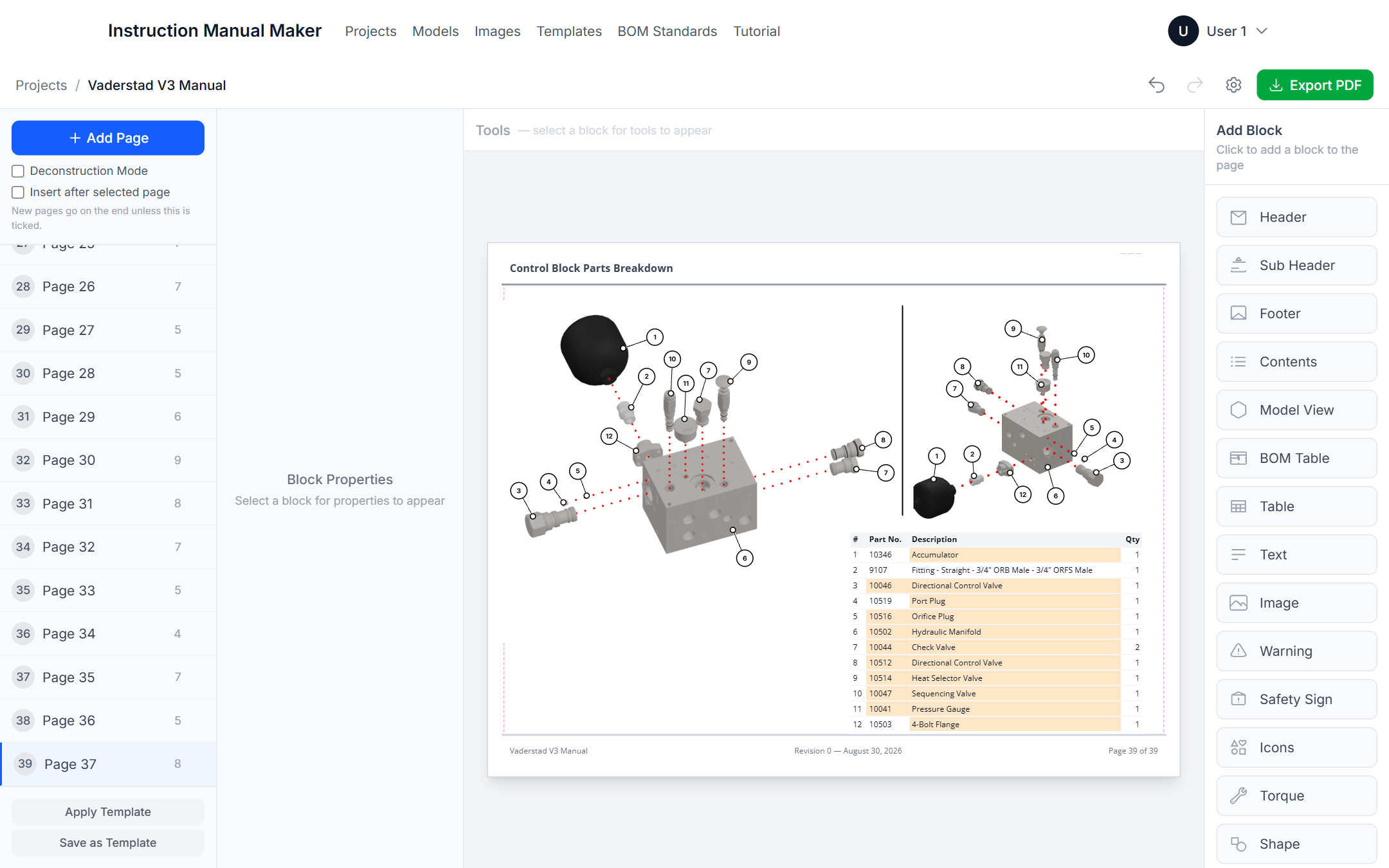
Layout tools you already know
Blocks snap to page margins, align and distribute the way InDesign's panel does, and group so a picture and its caption move as one. Arrow keys nudge. Templates fix the header, footer and logo on every page.
- Align to selection, key object, margins or page
- Distribute objects and spacing, with exact gaps
- Groups, copy and paste across pages, undo everywhere
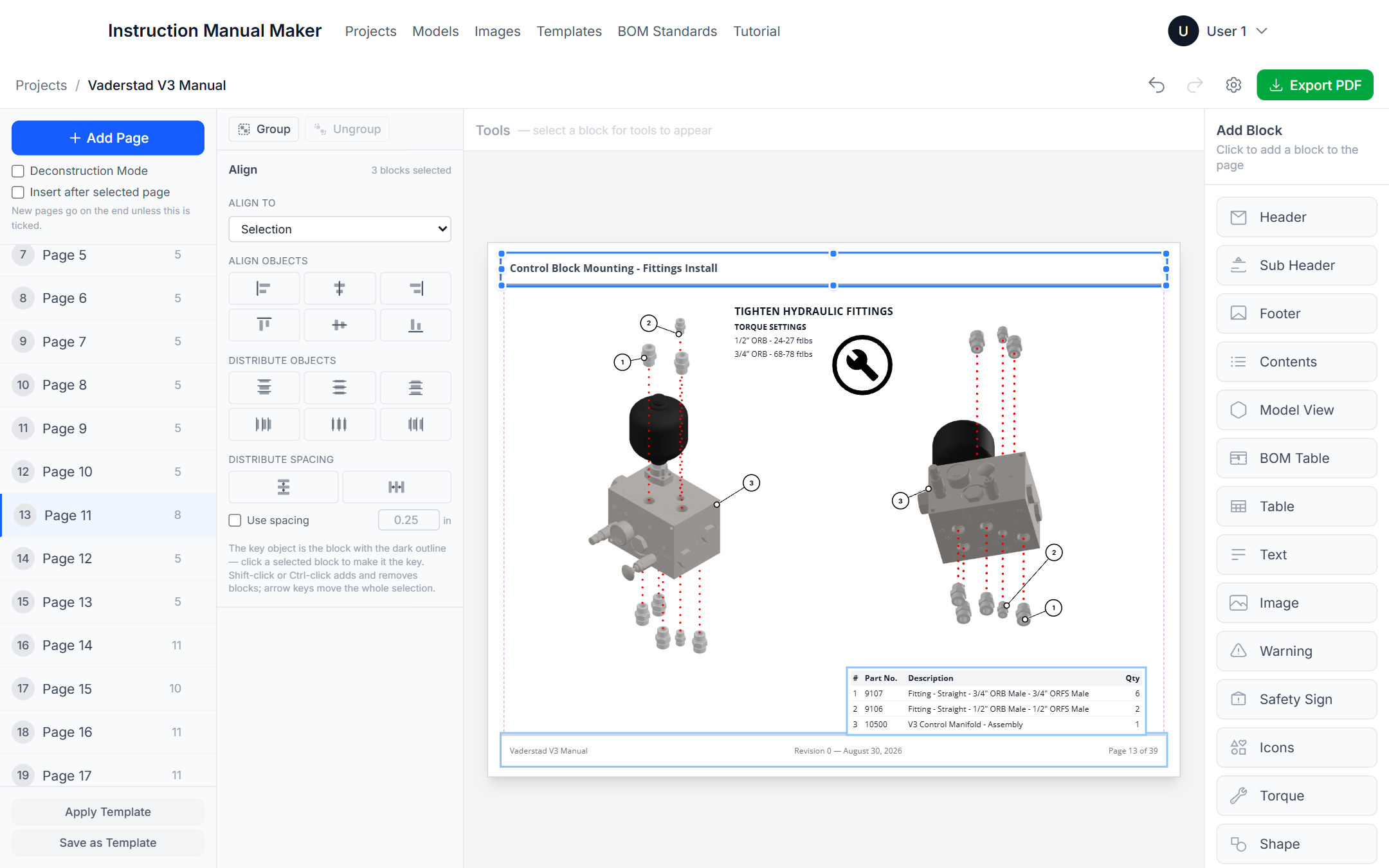
And the rest of the manual
Safety and warning blocks
ISO 7010 symbols, signal-word panels (DANGER, WARNING, CAUTION, NOTICE), tool icons and torque specs in ft-lbs and Nm.
Templates
Title page, contents, body and last page layouts with your header, footer and logo. Every new page starts right.
Table of contents
Built from your section headings with page numbers, and it updates itself as pages move.
PDF export
One click renders every page to a print-ready PDF with the same fonts and the same vector text.
Works offline, shares on a network
Everything lives on your PC. Point the data folder at a network drive to share models, images, templates and projects with colleagues, with check-out and check-in.
Backups without thinking
Projects back themselves up while you work, at check-in and when the app closes. Restore any of them.
Simple pricing, 30 days free
One subscription covers the desktop app and the SolidWorks add-in, on up to two computers. Nothing is charged until the trial ends, and you can cancel any time.
Checkout is not configured on this site yet.
Monthly
- Desktop app for Windows
- SolidWorks add-in
- Use on up to 2 computers
- All updates included
Yearly
- Everything in Monthly
- Billed once a year
- Use on up to 2 computers
- All updates included
Prices in US dollars before tax. Checkout, invoicing and refunds are handled by Paddle.com, our merchant of record; tax is added at checkout where it applies. After checkout you receive an email to set your password, then install the app and sign in.
Questions before you buy
What do I need to run it?
A Windows 10 or 11 PC (64-bit) for the app, and SolidWorks 2020 or later on the machine you export from. They can be the same PC or different ones. The app keeps its own database and needs no server.
How does the SolidWorks add-in get installed?
It ships inside the desktop app. On the Models page, click Install SolidWorks add-in, approve the Windows prompt, and it appears in SolidWorks under Tools › IMM Export.
What is in a .imm file?
The assembly's geometry plus its structure and part properties (part numbers, descriptions, materials, weights, custom properties), its configurations with suppressed parts, its exploded views and explode lines, display states and appearances. Everything the manual needs, in one file.
What happens when the design changes?
Export the assembly again with the same file name. The model updates in place, your captured views are flagged as needing a refresh, and the BOMs follow the new data.
How many computers can I use it on?
Two per subscription. Sign in on each one. To move to a new PC, sign out on an old one first.
Does it need an internet connection?
Only to sign in and to check your subscription about once a day when it can. It keeps working offline for up to 30 days between checks.
How do I cancel?
From the receipt email or the link Paddle sends with each invoice, at any time. The app keeps working until the end of the period you have paid for.
Can my team share manuals?
Yes. Point everyone's data folder at the same network location. Models, images, templates and BOM standards are shared, and projects are checked out and in so two people never edit the same one at once.